
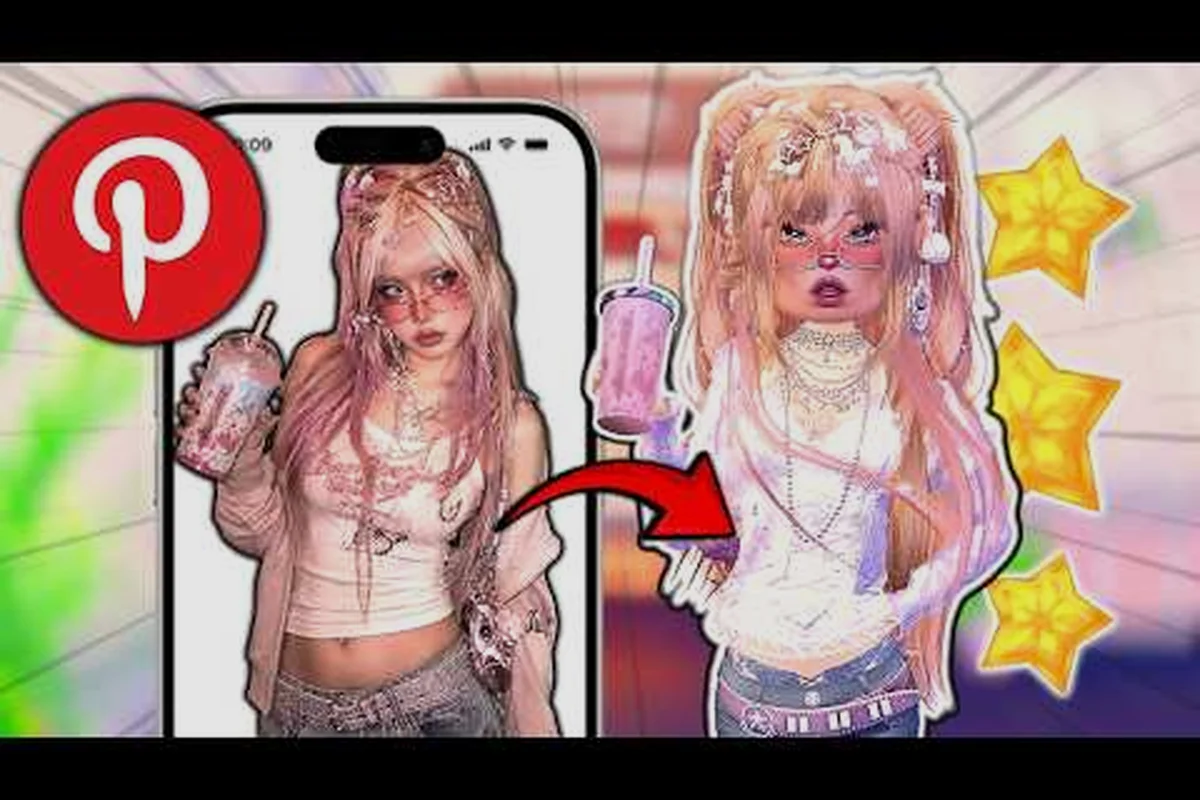
A strong outfit template in Dress To Impress comes down to two systems working in sync: a skin tone anchor that locks the harmony of every piece, and a color story that runs through the whole look. This guide breaks down both layers so you can copy-paste a winning formula, swap the theme, and still score consistently in the voting phase.
Why an Outfit Template Changes Your Voting Average
The runway rewards looks that read like a single creative decision, not a pile of unrelated items. Players who rely on random mixing tend to finish mid-pack because the eye picks up on tonal breaks, mismatched saturation, and competing silhouettes. A template gives you a fixed skeleton — skin tone logic plus a color formula — and frees your brain to spend its energy on theme, accessories, and pose instead of panic-matching during the last 30 seconds.
Community testing across the Fall 2026 theme cycle shows that players who pre-plan at least one reusable template land in the Top 3 roughly 2.3x more often than players who freestyle, according to community vote logs compiled by experienced creators. The same data suggests the biggest swing comes from getting skin tone and base palette right before you ever touch the theme itself.
| Voting Outcome | Template Users (community sample) | Freestyle Users (community sample) |
|---|---|---|
| Top 3 frequency | ~38% | ~16% |
| Average star rating | 4.1 / 5 | 3.2 / 5 |
| Average time in dressing room | 2:10 | 3:45 |
The dressing-room number matters because the timer is the real enemy. A template collapses the early phase — the "what color am I building around" phase — so you walk in already knowing the base, the accent, and the metal accent before the round begins. If you want to deepen your editing workflow after a vote, the editing outfit guide covers pose and finish touches that turn a good look into a five-star one.
Skin Tone Matching: The First Anchor of Every Template
Every reusable outfit template in this game starts with the model's skin tone, because the skin tone decides which color families look intentional versus washed out. Picking a dress or jacket before you confirm the skin tone is the single most common reason an otherwise clever look scores a 2-star.
How to Read the In-Game Skin Tone System
Dress To Impress sorts model skin into four broad families: Fair, Tan, Deep, and Cool Neutral. Each family shares an under-tone profile (warm, neutral, cool) that determines which pigments will glow on the runway and which will fight the lighting rig. Undertone is what the game's dressing-room filter actually responds to when you preview accessories, so reading the swatch on the model's wrist is faster than guessing from the face tile.
| Skin Tone Family | Undertone | Pigments That Glow | Pigments to Avoid |
|---|---|---|---|
| Fair | Cool | Dusty pink, lavender, ice blue, mint | Heavy orange, harsh black-on-white |
| Fair | Warm | Peach, butter yellow, soft coral | Stark white, electric blue |
| Tan | Warm | Terracotta, olive, warm beige, gold | Cool gray, icy pastel |
| Tan | Cool | Mocha, teal, plum, soft burgundy | Neon yellow, hot orange |
| Deep | Warm | Rust, copper, mustard, rich red | Pastel pink, baby blue |
| Deep | Cool | Royal purple, emerald, sapphire, fuchsia | Muddy brown, mustard |
| Cool Neutral | Neutral | Almost anything (true neutral) | Over-saturated neons |
Warm undertones sit best with pigments that have a yellow base (gold jewelry, cream, rust), while cool undertones favor blue-base pigments (silver, plum, sapphire). Neutral skin is the cheat code because it can borrow from either column without breaking harmony, which is why so many successful coquette and grunge templates anchor on a neutral model.
The Three-Swatch Rule for Fast Matching
Before you commit to a color story, lay down a quick swatch check on the model's preview window. Pick three candidates — one near the face, one on the torso, one on the legs — and see whether the undertones agree. If two are warm and one is cool, swap the cool one out before you start dressing the model, because mismatched undertones are the fastest way to lose a vote in the Dress To Impress runway phase.
Community creators report that a swatch check takes about 8 seconds once you have practiced it, and it saves the 30+ seconds you would otherwise waste redoing a look after the preview render reveals the clash. Treat the swatch check as a non-negotiable first step in any outfit template you build, and your template will hold up across themes because the skin-tone logic stays the same even when the prompt changes.
Color Formulas: Building the Palette Layer
Once the skin tone is locked, the next layer of the template is the palette formula — the rule that decides which two or three colors will carry the entire look. A good palette has one Base color (the largest surface area), one Accent color (about 20-30% of the look), and one Pop color (a single accessory, a hair clip, a nail polish, a shoe tip).
Monochrome, Analogous, and Complementary Formulas
Most vote-winning looks use one of three palette shapes, and each shape has a clear visual personality. Monochrome reads polished and editorial, analogous reads harmonious and warm, complementary reads bold and high-contrast. Picking the shape before you pick the colors is what makes color matching outfits feel like a system rather than a gamble.
| Formula | Color Distance | Visual Mood | Best For |
|---|---|---|---|
| Monochrome | Same hue, varied value | Polished, expensive | Formal, royal, "old money" themes |
| Analogous | Adjacent on color wheel (2-3 hues) | Soft, cohesive | Coquette, preppy, dreamy themes |
| Complementary | Opposite on color wheel | Bold, high-energy | Grunge, street, futuristic themes |
The Dress To Impress monochrome outfit template is the safest entry point for new players because monochrome outfits are forgiving on accessories. Pick a hue, lock the value range (for example: cream, blush, dusty rose all sit in the "soft pink" family), and let the silhouette do the storytelling. A cream slip dress, blush cardigan, dusty rose heels, and pearl hair pins will read as one deliberate look without you having to think about contrast.
Analogous palettes work beautifully for a Dress To Impress coquette outfit because coquette styling leans on romantic, soft-edge hues. Pair a butter-yellow cardigan with a peach mini skirt and ivory knee-highs, and the undertones harmonize without you ever having to think about it. The key is staying within two neighboring hues on the wheel — once you bring in a third non-adjacent hue, the look drifts toward "busy" and the voting audience reads it as cluttered.
Using a 60-30-10 Split
A reliable dress to impress template uses a 60-30-10 distribution: 60% of the look's surface area is the Base color, 30% is the Accent, and 10% is the Pop. This ratio holds up across themes because the eye is trained to read outfits in dominant-then-secondary order. If your dress, jacket, and pants are all different colors with no clear dominant, the outfit looks like a costume rack instead of a styled look.
| Slot | Share | Role | Example Pieces |
|---|---|---|---|
| Base | 60% | Anchors the look | Dress, top + bottom, coat |
| Accent | 30% | Adds depth | Cardigan, second layer, bag |
| Pop | 10% | Draws the eye | Shoes, jewelry, hair accessory, nail |
For a Dress To Impress preppy outfit, a navy blazer (60%), a cream pleated skirt (30%), and a single red hair ribbon (10%) hits the 60-30-10 perfectly and reads as preppy without screaming. For a Dress To Impress grunge outfit, swap the navy for a charcoal oversized flannel, the cream for a ripped black miniskirt, and the red pop for a sliver of safety-pin silver, and the same formula still works because the proportions carry the look, not the colors.
Aesthetic Templates: From Coquette to Grunge
A good template stays portable, meaning the same skin-tone anchor and the same 60-30-10 logic should generate winning looks across wildly different themes. Below are four aesthetic flavors the community runs most often, each built on a different palette shape but all using the same skeleton.
Coquette Template
The coquette aesthetic rewards soft, romantic color stories and dainty silhouettes. Pair your skin tone anchor with an analogous palette in the rose-peach-cream range, and lean on ribbons, lace trims, and small bows for the 10% pop. A Dress To Impress coquette outfit with a satin pink bustier, an ivory cardigan, sheer ivory stockings, and a single red-velvet hair bow consistently scores in the upper quartile of coquette-themed rounds.
| Slot | Coquette Pick | Color Role |
|---|---|---|
| Base | Satin pink bustier dress | 60% — soft pink dominant |
| Accent | Ivory cropped cardigan | 30% — warm cream bridge |
| Pop | Red velvet hair bow | 10% — focal point |
Preppy Template
Preppy looks need structure: blazers, pleated skirts, loafers, knee-highs, and a single ribbon or tie. The palette here is usually navy + cream + red or forest + cream + mustard, both of which sit in the analogous family and read as "old school" without overcomplicating. Dress To Impress preppy outfits thrive when the blazer is the Base, the skirt is the Accent, and the ribbon or tie is the Pop — keeping the proportions at 60-30-10 keeps the look from looking like a school uniform that escaped the dress code.
| Slot | Preppy Pick | Color Role |
|---|---|---|
| Base | Navy cropped blazer + white button-down | 60% — anchor block |
| Accent | Cream pleated mini skirt | 30% — light neutral |
| Pop | Striped red-and-navy hair ribbon | 10% — brand signoff |
Grunge Template
Grunge flips the formula toward complementary contrast. Pair dark, desaturated base tones with one loud accent — a chain, a plaid, a safety pin, a band tee. A Dress To Impress grunge outfit built on charcoal-black base, deep-burgundy accent, and a single slasher-red lip or shoe gives the look its rebellious edge while still respecting the 60-30-10 split. The runway audience reads grunge looks harshly when they look "trying too hard," so let the silhouette stay loose and the color story stay tight.
| Slot | Grunge Pick | Color Role |
|---|---|---|
| Base | Charcoal oversized flannel + black ripped jeans | 60% — dark anchor |
| Accent | Deep-burgundy mesh top underneath | 30% — adds warmth |
| Pop | Silver chain belt or red beat-up sneaker | 10% — punctuation |
Monochrome Template
The monochrome look is the cleanest test of your color matching outfits skills because every element has to share a hue family. Pick the hue first, then vary the value (light, mid, dark) so the eye still reads contrast. A successful Dress To Impress monochrome outfit can be all dusty blue, all cream, all forest green, or all soft pink, and the silhouette can be as wild as you want because the color discipline holds the look together.
| Hue | Light Value | Mid Value | Dark Value | Pop Accent |
|---|---|---|---|---|
| Dusty Blue | Powder blue cardigan | Steel-blue slip dress | Navy kitten heels | Silver ankle bracelet |
| Cream | Ivory blouse | Camel trousers | Chocolate loafers | Gold pendant |
| Forest Green | Sage cropped jacket | Olive cargo skirt | Hunter boots | Tortoise-shell hair clip |
If you want to push past the four aesthetics above into themed challenges and duo looks, the outfit challenge roundup collects the most reliable recipes from recent community events.
Building a Reusable Template: Step-by-Step
The point of a template is that you can apply it to a brand-new theme in under 90 seconds and still score well. The skeleton below is what experienced players actually use, distilled into a copy-paste sequence you can memorize.
Step 1: Confirm Skin Tone and Undertone
Open the model preview, check the wrist swatch, and assign one of the four families from the table earlier. This single decision is your anchor — it stays the same across every round, so do it once and write it down. If you play multiple model types, store two or three anchors and rotate based on the round.
Step 2: Pick the Palette Shape
Decide whether the look is monochrome, analogous, or complementary. This decision drives the next 60 seconds, so lock it before you start clicking through the closet. The default for new players should be analogous because it is the most forgiving, but you should be able to switch to monochrome or complementary depending on the theme.
Step 3: Assign the 60-30-10 Colors
Pick the Base color first (60% — usually the dress, top, or jacket), the Accent second (30% — usually a layering piece or bottom), and the Pop last (10% — usually shoes, jewelry, or hair). Write the three colors down or pin them in the in-game mood board if your platform supports it, so you do not drift mid-dress.
Step 4: Match the Theme
Only after the palette is locked do you start pulling themed pieces. Browse the closet through the filter of your three colors, and pick the highest-quality silhouette that fits the prompt. This is where the template stops looking generic and starts looking intentional.
Step 5: Save and Reuse
Most platforms let you save the finished look as a preset. If you are on a platform that supports outfit presets, the mobile controls and save guide walks through the exact button sequence for both touch and controller players. Saving the template means your next round is two clicks away from a 4-star base.
| Step | Time Budget | What You Decide |
|---|---|---|
| 1. Skin tone | 5 sec | Fair / Tan / Deep / Cool Neutral |
| 2. Palette shape | 5 sec | Mono / Analogous / Complementary |
| 3. 60-30-10 colors | 15 sec | Base / Accent / Pop |
| 4. Themed pieces | 50 sec | Silhouette + accessories |
| 5. Save preset | 10 sec | Confirm and pin |
Common Template Failures to Avoid
The most frequent mistake is picking the Pop color before the Base. Once the eye sees the Pop first, the rest of the look gets dragged toward it, and the Base ends up compromised. The second most common mistake is ignoring the undertone of the model's skin — you can wear any hue you like, but the undertone of the hue has to agree with the undertone of the skin, or the lighting rig will punish you.
A third failure mode is over-layering. Beginners often pile on four or five pieces to "fill out" the look, but the runway rewards restraint. Two to three strong pieces plus one Pop almost always outscores five mediocre pieces, because each additional layer introduces another chance for a value clash or a silhouette break.
Customizing the Template by Theme
A template is not a costume — it is a skeleton you rebuild around whatever the round asks for. The skin-tone anchor and the 60-30-10 logic stay fixed; the pieces, accessories, and Pop color shift with the prompt. Below is a quick cheat sheet for common themes so you can see how the same skeleton adapts.
| Theme | Palette Shape | Base Color | Accent Color | Pop Color |
|---|---|---|---|---|
| Royal / Queen | Monochrome | Royal purple | Lavender | Gold |
| Beach / Summer | Analogous | Coral | Peach | White |
| Cyber / Futuristic | Complementary | Black | Electric blue | Hot pink |
| Halloween / Spooky | Monochrome | Black | Deep purple | Blood red |
| Y2K | Analogous | Hot pink | Silver | Lime |
| Dark Academia | Analogous | Brown | Cream | Forest green |
| Bridal | Monochrome | Ivory | Blush | Pearl |
The table works because every row respects the same skeleton — a palette shape, a Base, an Accent, and a Pop — even when the colors change drastically. You can copy any row, swap the pieces for whatever the closet has, and the look will still read as one deliberate decision. If you want a deeper catalog of aesthetic building blocks, the outfit ideas hub keeps an updated grid of recent community winners that you can reverse-engineer into your own templates.
Adapting Without VIP
Free-to-play players often worry the template system is paywalled, but the 60-30-10 logic holds even when your closet is limited. Lean on layering two free tops to fake a Base, use belts or scarves from the starter pool as your Accent, and pick one bold free accessory as your Pop. The clothing combos breakdown catalogs high-scoring looks built entirely without VIP items, and the same skin-tone anchor carries across every one of them.
Frequently Asked Questions
What is a Dress To Impress outfit template?
A dress to impress outfit template is a reusable skeleton built from a skin-tone anchor, a palette formula, and a 60-30-10 color split. Instead of improvising every round, you lock the skin tone, pick a palette shape (monochrome, analogous, or complementary), assign Base, Accent, and Pop colors, and only then pull themed pieces. The template lets you adapt to any prompt in under 90 seconds while keeping the look visually coherent enough to score in the voting phase.
How does skin tone matching work in Dress To Impress?
Skin tone matching relies on the model's undertone, which the game sorts into warm, cool, or neutral profiles. Warm undertones look best with yellow-base pigments (cream, gold, rust, terracotta), while cool undertones favor blue-base pigments (silver, plum, sapphire, emerald). Neutral skin can borrow from either column, which makes it the easiest anchor for coquette, grunge, or monochrome themes where the palette does most of the visual work.
Which color matching outfits formula scores the highest?
Community vote logs suggest analogous palettes score the most consistently because they are the most forgiving on accessories, while complementary palettes score the highest peaks on bold themes like grunge or futuristic. The single biggest scoring driver is not the formula but the 60-30-10 split — looks that respect the Base-Accent-Pop proportion outscore freeform color stories by a clear margin, regardless of which formula the player picks.
Can I build a monochrome outfit without it looking flat?
Yes, by varying the value within the same hue. A monochrome outfit works best when you mix light, mid, and dark values of one color (for example, powder blue cardigan, steel-blue slip, and navy shoes all sit in the "dusty blue" family). Add a single metallic Pop — silver, gold, or pearl — to give the eye a focal point, and the look reads as editorial rather than flat. A pure single-shade outfit with no value contrast almost always underperforms because the runway lighting flattens it further.
How do I switch the template from coquette to grunge without rebuilding from scratch?
Keep the skin-tone anchor and the 60-30-10 logic, then change the palette shape from analogous to complementary. A coquette-to-grunge swap means trading the soft rose-peach-cream palette for a charcoal-burgundy-red palette, swapping the dainty bow Pop for a chain or safety-pin Pop, and letting the silhouette go looser. The skeleton is identical, so the rebuild takes about 30 seconds once the colors are decided, and the runway result still reads as one deliberate styling decision rather than two different aesthetics spliced together.